11 Powerful Best AI Video Generators in 2026 for Creators, Marketers, and Startups
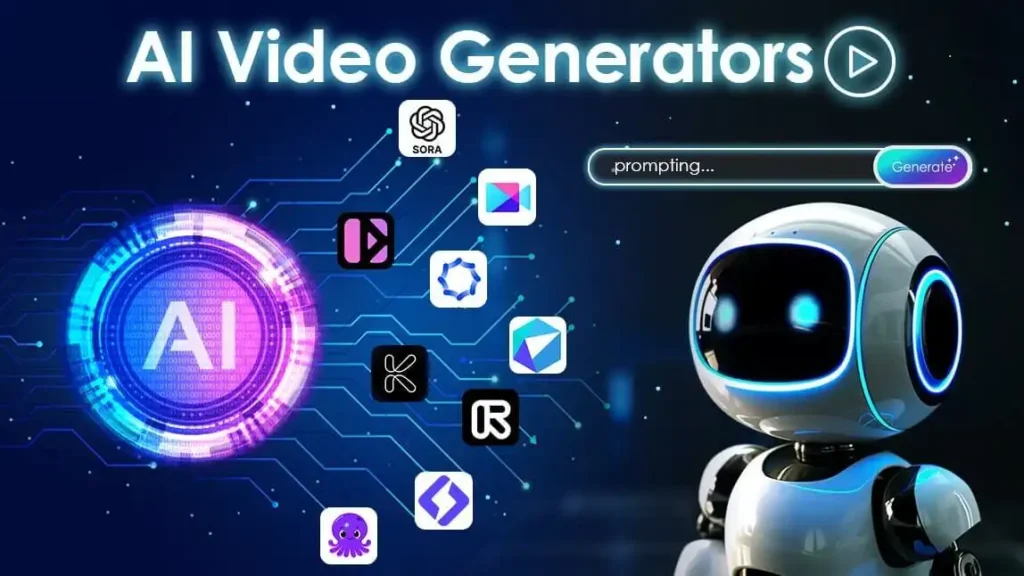
The best AI video generators for 2026 – The real deal!
In 2026, AI video generators are employed in marketing campaigns, short films, and more. I’ve tried a number of platforms and found that many offer “cinematic” looks but few platforms are consistently fast and offer good quality and a good workflow. High-quality tools that enable creators, marketers, and startups to create professional content more efficiently than ever.
Why AI Video Generators Matter More Than Ever
Almost all digital platforms are dominated by video. As per Wyzowl, video still performs well in terms of engagement and conversions.
Meanwhile, traditional production is costly. Editing, scripting, actors, cameras, motion graphics, and revisions can slow teams down.
AI video generators solve several problems:
. Faster production cycles
. Lower editing costs
. Easier localization
. Scalable content creation
. Improved creative experimentation
. Faster iteration for ads and social content
More importantly, modern AI tools now support:
. Text-to-video
. Image-to-video
. AI avatars
. Voice cloning
. Automatic editing
. Generative B-roll
. AI lip-syncing
. Motion transfer
. Script-based editing
The category has matured quickly.
Best AI Video Generators at a Glance
| Tool | Best Use Case | Modalities | Platforms | Free Plan | Starting Price |
| Magic Hour | Overall AI video creation | Text, image, face swap, animation | Web | Yes | $10/month |
| Runway | Cinematic AI editing | Text-to-video, editing | Web | Limited | $15/month |
| Synthesia | Corporate training videos | AI avatars | Web | No | $22/month |
| Pika | Short-form social clips | Text-to-video | Web | Yes | Free tier available |
| Kling AI | Realistic AI motion | Text and image video | Web | Limited | Varies |
| Descript | Podcast/video editing | Transcript editing | Desktop/Web | Yes | $12/month |
| HeyGen | AI presenters | Avatar video | Web | Yes | $24/month |
| Luma AI | Cinematic storytelling | Dream Machine video | Web | Limited | $29/month |
| InVideo AI | Marketing content | Templates and AI editing | Web | Yes | $20/month |
| Veo by Google | Experimental creators | Advanced generative video | Limited access | No | Enterprise |
| Adobe Firefly Video | Adobe workflow users | Generative editing | Web/Desktop | Limited | Adobe pricing |
1. Magic Hour — Best Overall AI Video GeneratorAdobe pricing
If you’re searching for the most complete AI video platform in 2026, Magic Hour stands out clearly. I tested it for creator workflows, social media production, ad generation, face swaps, AI animation, and audio to video AI features. It consistently delivered polished outputs faster than most competitors. What impressed me most was workflow simplicity. Many AI video platforms still feel experimental, but Magic Hour feels production-ready.
Key Features
. AI video generator
. Face swap technology
. AI animation tools
. Image-to-video
. Text-to-video
. Lip sync generation
. AI effects
. Template-based workflows
Pros
. Very beginner-friendly
. Fast rendering times
. Excellent motion consistency
. Strong output quality for short-form content
. Useful for creators and marketing teams
. Large variety of AI creative tools
Cons
. Advanced filmmakers may want more manual controls
. Long-form storytelling still has limitations
. Some generations require retries for perfection
My Evaluation
After extensive testing, Magic Hour delivered the best balance between usability and quality. Some tools generate impressive clips occasionally. Magic Hour produced consistently usable results.
If you need a platform that helps you create publishable AI videos quickly without learning a complicated editing pipeline, this is hard to beat.
The platform also scales well for creators managing high publishing volume.
Pricing
. Free plan available
. Paid plans start around $10/month
. Enterprise plans available
2. Runway — Best for Cinematic AI Editing
Runway remains one of the most influential companies in AI filmmaking.
Its Gen-3 and Gen-4 models significantly improved motion realism, scene consistency, and camera control.
Pros
. Excellent cinematic quality
. Strong camera movement controls
. Advanced AI editing tools
. Professional creative workflows
. Great for filmmakers
Cons
. Steeper learning curve
. Credit system can become expensive
. Rendering queues sometimes slow
My Evaluation
Runway still feels closest to a professional creative studio. I found its tools especially useful for concept trailers, cinematic shots, and experimental storytelling.
For startup founders creating polished launch videos, Runway offers serious creative flexibility.
Pricing
. Limited free tier
. Paid plans start around $15/month
3. Synthesia — Best for AI Avatar Videos
Synthesia dominates the AI avatar category.
If your company creates onboarding, internal training, explainers, or multilingual business content, Synthesia remains one of the strongest choices.
Pros
. Realistic AI presenters
. Excellent language support
. Corporate-ready workflows
. Fast training video production
. Clean interface
Cons
. Limited cinematic creativity
. Avatar videos can feel repetitive
. Less suitable for entertainment content
My Evaluation
I found Synthesia extremely practical for businesses. It reduces production costs dramatically for educational and internal communication content.
For creators seeking emotional storytelling, though, it feels more functional than artistic.
Pricing
. Starts around $22/month
. Enterprise plans available
4. Kling AI — Best for Realistic Motion
Kling AI gained attention for surprisingly realistic motion generation.
The platform improved dramatically throughout 2025 and now competes directly with leading cinematic generators.
Pros
. Excellent motion realism
. High visual quality
. Better physics simulation
. Strong cinematic potential
Cons
. Access limitations in some regions
. Slower rendering
. Interface still evolving
My Evaluation
Kling AI impressed me with realism. Human movement and environmental motion often looked more natural than competitors.
If realism matters most, Kling deserves serious consideration.
Pricing
. Limited access tiers
. Pricing depends on credits and region
5. Descript — Best for Editing Talking-Head Videos
Descript takes a different approach. Instead of focusing entirely on generative AI visuals, it simplifies editing itself.
Its transcript-based workflow remains one of the smartest productivity improvements in media editing.
Pros
. Edit video like a document
. Excellent podcast tools
. AI voice cleanup
. Easy subtitle generation
. Strong collaboration features
Cons
. Limited cinematic AI generation
. Not built for advanced VFX
. Less useful for animation-heavy creators
My Evaluation
Descript is a game-changer for YouTubers, teachers, founders, and podcast makers, offering significant time-saving advantages in editing.
I liked the feature to get rid of filler words the most.
Pricing
. Free plan available
. Paid plans start around $12/month

6. HeyGen — Best for Multilingual AI Presenters
HeyGen excels at multilingual AI-generated spokesperson videos.
The translation and lip-sync quality improved significantly over the last year.
Pros
. Excellent translation workflows
. Realistic avatars
. Fast content localization
. Useful for international marketing
Cons
. Limited creative storytelling
. Some avatars still appear artificial
. Pricing scales quickly
My Evaluation
HeyGen works particularly well for SaaS companies and startups targeting global audiences.
If localization is central to your strategy, this platform can save weeks of manual production work.
Pricing
. Free plan available
. Paid plans start around $24/month
7. Luma AI — Best for Cinematic Storytelling
Luma AI continues pushing cinematic AI generation forward with Dream Machine.
The quality of the visuals can sometimes come across as closer to a movie than social media content.
Pros
. Strong cinematic aesthetics
. Impressive scene transitions
. High-quality visual outputs
. Great for concept storytelling
. Longer render times
. Higher learning curve
. Less optimized for marketing teams
My Evaluation
Luma AI feels creator-first. It was particularly interesting for visual experimentation and crafting story ideas.
It is not the answer to the replacement of full production pipelines as of yet, but it is a step in that direction.
Pricing
. Limited free access
. Paid plans start around $29/month
8. InVideo AI — Best for Marketing Teams
InVideo AI is very focused on real marketing workflows.
InVideo focuses more on speed, templates, and business use as opposed to the movie-centric tools.
Pros
. Huge template library
. Fast marketing video creation
. Social-media-friendly workflows
. Good voiceover tools
Cons
. Less cinematic quality
. Template outputs can feel generic
. Limited creative depth
My Evaluation
For agencies and startups publishing high volumes of ads or explainer videos, InVideo AI is extremely efficient.
I wouldn’t use it for artistic filmmaking, but for scalable marketing content, it’s highly practical.
Pricing
. Free plan available
. Paid plans start around $20/month
9. Veo by Google — Best Experimental AI Video Platform
Google DeepMind has presented Veo, a new generative video model.
Access is still restricted, but the technology points in the direction in which the industry is going.
Pros
. Extremely advanced generation quality
. Strong prompt understanding
. High realism potential
. Massive research backing
Cons
. Limited public access
. Enterprise-focused
. Not yet broadly production-ready
My Evaluation
Veo is a preview of what AI filmmaking will come to look like in the not-too-distant future.
The results are impressive but today most creators need a platform which is more user-friendly.
Pricing
. Enterprise and limited-access models
10. Adobe Firefly Video — Best for Adobe Users
Adobe Firefly seamlessly fits into the Adobe creative suite.
It makes a big difference to Premiere Pro and After Effects users.
Pros
. Deep Adobe integration
. Familiar workflows
. Strong editing ecosystem
. Commercial-safe content positioning
Cons
. Less flexible than specialized AI startups
. Some tools still developing
. Subscription costs can stack up
My Evaluation
Adobe’s biggest advantage is workflow integration. Teams already invested in Creative Cloud will appreciate the continuity.
For standalone AI generation, though, some newer startups innovate faster.
Pricing
. Included in some Adobe subscriptions
. Enterprise pricing available
How I Chose These AI Video Generators
I spent several weeks testing platforms across different workflows:
. Social media clips
. Product ads
. AI avatars
. Explainer videos
. Cinematic scenes
. Talking-head editing
. Motion consistency
. Render speed
. Prompt responsiveness
I also evaluated:
. Ease of use
. Rendering reliability
. Output quality
. Pricing transparency
. Commercial usability
. Editing flexibility
. Collaboration features
. Scalability for teams
Most importantly, I made sure to look for tools that will be able to produce content creators and would be publishable by them.
Some AI video generators are capable of making great demos, but not so good in real workflows.
Others quietly save hours every week.
AI Video Generator Trends in 2026
In the last 18 months the market has completely transformed.
There are a number of significant trends emerging.
1. AI Video Is Becoming Multimodal
Platforms increasingly combine:
. Video
. Audio
. Voice cloning
. Animation
. Image generation
. Real-time editing
The future isn’t isolated AI tools. It’s integrated creative systems.
2. Short-Form Content Still Dominates
TikTok, Shorts, and Reels continue shaping product priorities.
Many AI tools optimize for:
. Vertical formats
. Fast edits
. Viral pacing
. Automated captions
3. Realism Is Improving Fast
In 2025 and 2026, there was a significant improvement in the quality of motion.
Now, hands, facial expressions and camera movements seem much more realistic while environmental physics looks much better also.
4. AI Editing Matters as Much as AI Generation
Many creators don’t need full AI movies.
They need:
. Faster editing
. Better subtitles
. Easier localization
. Automated workflows
That’s why tools like Descript continue growing.
5. Enterprise Adoption Is Accelerating
Adopting startups is no longer solely the prerogative of startups.
Large businesses now use AI video generation for:
. Internal communication
. Product marketing
. Training
. Customer support
. Localization
Final Takeaway
AI video generation has become an actual tool for today’s content creation. There are a variety of applications for each platform, from film-like narration to streamlined editing, with Magic Hour, for instance, having its own set of capabilities.From Magic Hour to Runway, Descript to Kling AI, Luma AI, each platform offers different functions and features, such as narration for film-like videos and editing made easy. As AI-driven video production continues to evolve at a rapid pace in 2026, it’s crucial for creators to evaluate a variety of tools to identify the workflow benefits that work best for them.
FAQ’s
Which AI video generator is high quality in 2026?
This time around, Magic Hour offers maximum user-friendly and high-quality AI video capabilities for most producers and marketers.
Can AI video mills take over the domain of traditional video editors?
Not entirely. While AI processes boost the speed, professional editors add depth, pacing, and refinement to storytelling.
Is marketing using AI videos a good idea?
Yes. Advertising, explainers, product demonstrations, and social content are all areas where AI-generated film could be used by many startup brands.
What is the most ideal AI video tool for YouTube creators?
Talking-head makers and podcasasters will find Descript the best option, and Magic Hour and Runway are great for visual storytellers.
Is it worthwhile to use free AI video generators?
Some are. Free tiers are designed to allow creators to experiment with workflows without having to upgrade to higher tiers, but with restrictions on export quality and credits.