The Future of Branding: Why AI Mockup Generators Are Replacing Traditional Photoshop Workflows in 2026
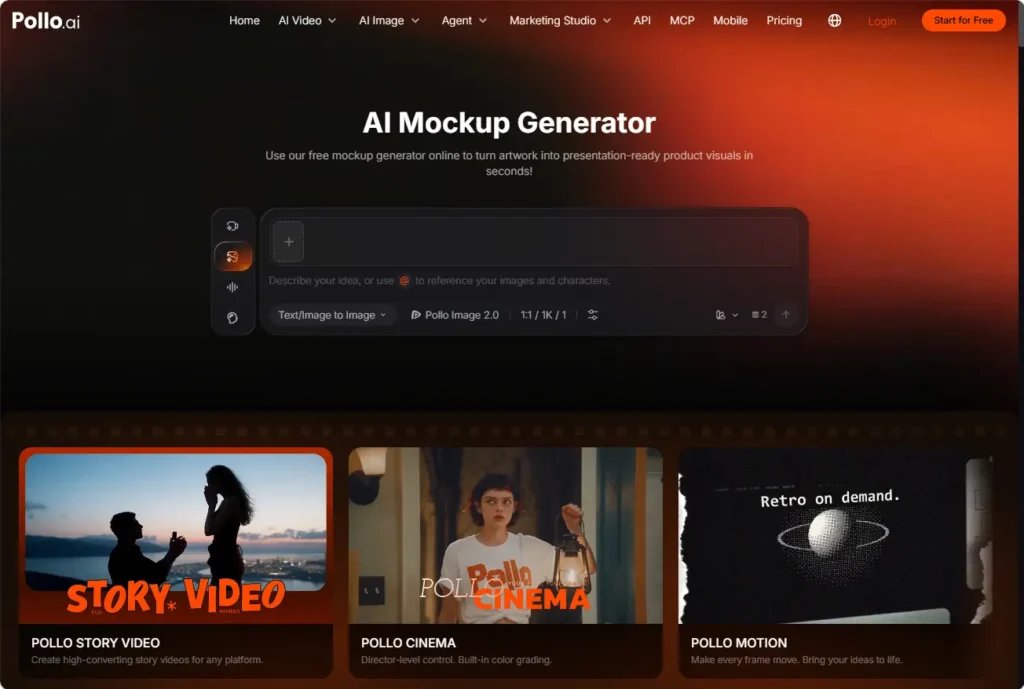
AI mockup generators are replacing parts of traditional Photoshop workflows by making product previews easier to create, vary, and review. Instead of manually placing artwork into several templates, teams can upload a design and explore how it looks across products and branded settings.
For small businesses searching for a mockup generator free, Pollo AI offers a workflow worth evaluating: upload a logo, illustration, or packaging design, then generate previews for different surfaces and scenes. The benefit is faster visual decision-making—not eliminating designers. Knowing where AI helps, and where manual editing remains essential, separates a useful mockup from a misleading one.
Why Branding Teams Are Rethinking Photoshop-Based Mockups
Traditional mockup production often involves finding a suitable template, placing artwork, adjusting its perspective, and refining shadows or reflections. Photoshop offers detailed control, but repeating those steps across products and campaign concepts can create substantial preparation work.
Consider a brand reviewing a new illustration for a mug, a sweatshirt, and a retail box. Each surface presents different challenges: curved placement, fabric texture, or folded packaging. Creating several presentation settings adds another layer of work.
AI product mockup generation changes the starting point. Teams can explore visual directions before committing time to precise manual refinement. That makes it particularly useful during early branding discussions, when the main question is “Which direction should we pursue?” rather than “Is this file ready for production?”
How Pollo AI Turns Design Assets into Product Previews
Pollo AI’s mockup workflow uses uploaded artwork to create product previews across packaging, drinkware, clothing, and electronic screens. Background, lighting, and color adjustments help place those previews in settings that suit the brand.
For example, a coffee business could upload its approved logo and compare a cup against a neutral studio background, a warm café setting, and a brighter promotional scene. The logo remains the reference asset, while the surrounding presentation changes.
Generating multiple visual options together gives teams alternatives to review side by side. An e-commerce manager might prioritize product visibility, while a designer evaluates whether the scene supports the intended brand identity.
These are visual previews, not proof that every logo edge, material, or printed color will be reproduced accurately.
Where AI Mockups Fit Better—and Where Photoshop Still Matters
AI is most useful for exploring options; Photoshop remains valuable when the task demands precise, localized changes. A practical workflow assigns each tool a specific role.
| Branding task | AI mockup workflow | Traditional Photoshop workflow |
| Exploring presentation concepts | Generates alternative scenes from uploaded artwork | Requires preparing or adapting each scene |
| Previewing different product surfaces | Helps visualize designs across supported carriers | Offers detailed placement through suitable templates |
| Comparing brand moods | Supports background, lighting, and color variations | Provides granular manual adjustments |
| Correcting fine artwork details | May require regeneration or further editing | Supports precise corrections to individual elements |
| Preparing production artwork | Provides a visual reference, not manufacturing proof | Can support artwork preparation within a wider production process |
The strongest replacement case is repetitive presentation work. The weakest is any task where a plausible-looking approximation is unacceptable.
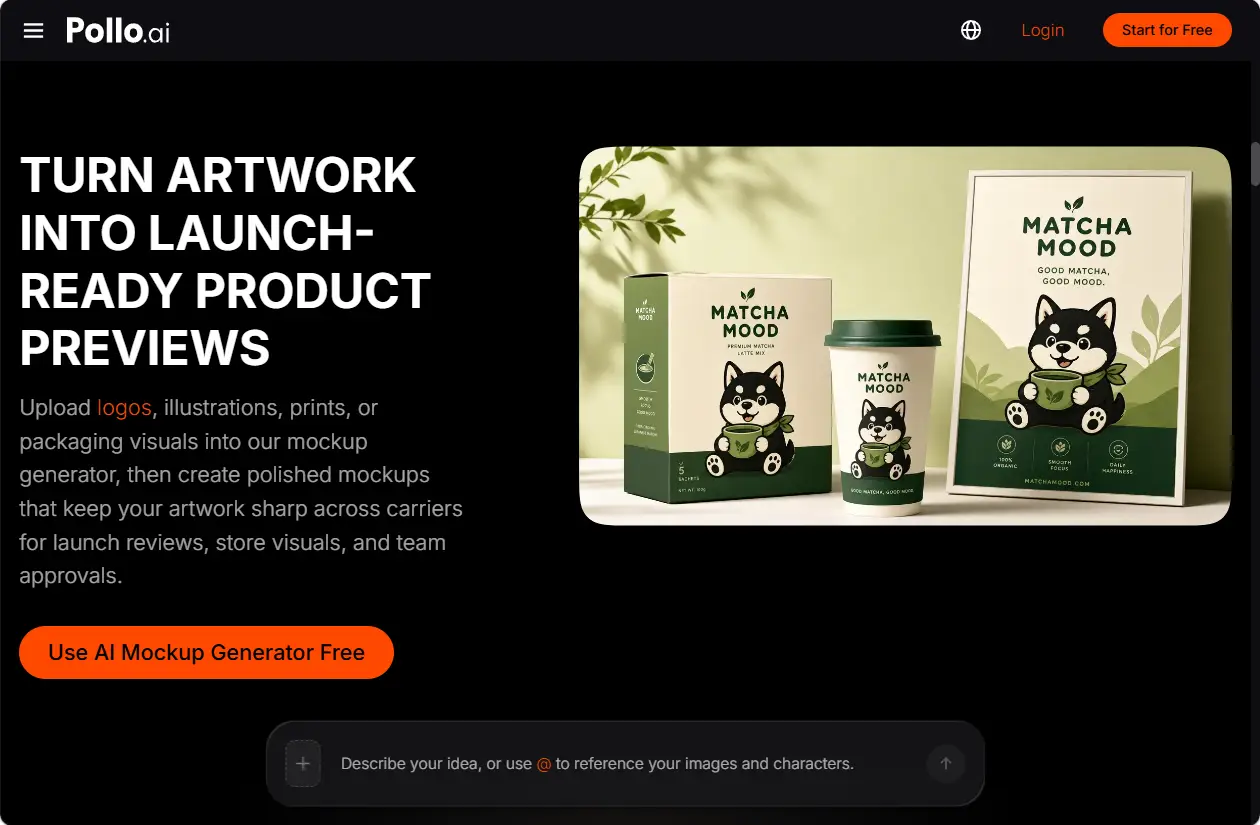
A Practical Workflow for Consistent Brand Mockups
- Start with approved artwork
Use a clean logo, illustration, polished icon, or packaging design rather than an unfinished screenshot. Confirm spelling, proportions, and the intended color palette before generating 1previews.
For packaging projects, keep the original production artwork separate from the generated presentation image. A convincing preview does not validate dimensions, dielines, or print specifications.
- Define what should stay consistent
Write a short visual brief identifying the product surface, artwork placement, background, lighting, and overall mood. Distinguish between fixed brand elements and details that can vary.
For example:
Present the uploaded illustration on a cream ceramic mug. Use a warm neutral background, soft side lighting, and a restrained color palette. Keep the artwork recognizable and avoid additional text.
This is an illustrative brief, not a tested result or a guarantee of exact reproduction.
- Compare controlled variations
Change one major variable at a time. Compare backgrounds first, then lighting, rather than changing the product, artwork placement, and scene simultaneously.
Review the options against the same criteria:
- Is the design recognizable and correctly positioned?
- Does the product shape remain plausible?
- Are text and logos intact?
- Does the scene match the brand?
- Is the preview suitable for its intended presentation?
- Refine the selected direction
Use the strongest option for internal discussion or client approval, then correct remaining issues where necessary. For e-commerce publication, compare the image with the actual product so that materials, proportions, and included features are not misrepresented.
What to Check Before Choosing a Free Mockup Workflow
Search results for mockup generator free can cover different access models. Before planning a project around any platform, verify its current generation allowance, export resolution, watermark policy, and commercial-use terms.
Also check whether the supported product surfaces match your actual needs. A compelling clothing preview does not establish that a tool can accurately handle detailed packaging or screen content.
Evaluate the workflow using one approved asset before expanding to a complete collection. This keeps the initial review manageable and reveals whether manual corrections will outweigh the time saved.
The Future Is Faster Exploration, Not Less Design Judgment
The shift in branding workflows is toward generating options quickly and applying human judgment where accuracy matters most. AI mockups help teams discuss tangible visual directions before production, while manual editing and physical proofs remain important safeguards.
For teams beginning with a mockup generator free search, Pollo AI provides a practical workflow to assess. Start with one approved design, compare a few product previews, and refine the strongest direction before using it in a proposal or campaign.
1 thought on “The Future of Branding: Why AI Mockup Generators Are Replacing Traditional Photoshop Workflows in 2026”